
TEL050JP lets you send and receive voice messages and faxes, and make calls (Pro), from a browser alone, and keeps a record of each exchange.
What TEL050JP is
Keep your phone and fax exchanges as records you can show later.
Contact that so easily turns into "I said, you said" or "I sent it, it never arrived" is kept in a form that shows when, to whom and what was exchanged.
Keep
What you sent, received and said can be kept with proof storage, in a form that shows the date, time and content to a third party. The proof package includes a verification page that lets you confirm, on your own device, that the content is as it was when stored.
-
Send
Enter the destination number and attach an audio file for a voice message or a document for a fax. No line installation, no equipment.
-
Receive
Voicemail and faxes that reach your own 050 number can be listened to and read in the browser inbox, and kept as records as they are.
-
Call
On the Pro plan you make calls from the browser; every call is recorded and kept in your call history.
Proof storage shows that the date, time and content of a record are as they were when stored. How a record is weighed legally is for the proceeding in which it is used to decide.
AI agent (MCP) support
Ask the AI you already use to handle your phone and fax work.
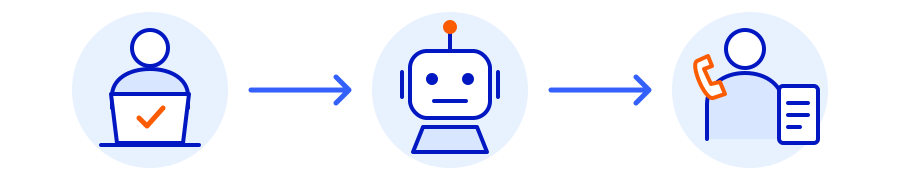
MCP is a way of connecting an AI to a service. Link a compatible AI agent to TEL050JP and, within the permissions you grant, it can send, receive and check your records for you.
Worried about security?
You enable it under "AI agent access" in your settings and choose the permissions the AI receives. Disabling the integration revokes access for every AI agent at once. Audio, faxes and history retrieved by an AI are processed by that AI's provider, so check how the AI you use handles data.
Buying points and changing plans stay with you
Billing (buying points) and plan changes are not available through MCP; do those yourself on screen. Sends and proof storage requested by an AI do use points, so check the content and the points involved before it runs.
Getting started

Create an account
Confirm your email address and phone number. Sign up here.
Buy points
1 pt = ¥1. Points are used each time you send or keep something. Buy them from the points page in your account.
Send and receive
Attach an audio file for a voice message, or a PDF or image file for a fax, and send. With your own 050 number (Standard and above) you can receive voicemail and faxes.
Keep
Choose the record you want to keep and select proof storage: a proof package (certificate PDF, the record and a verification page) is issued and stored.
Free
For trying things out. Send voice messages and faxes. What you send can go into proof storage. No own number, no receiving.
Standard
Your own 050 number. Receive voicemail and faxes, and keep what you receive as well.
Pro
Everything in Standard, plus real-time calls from the browser with call recording. Recordings can be kept too.
A one-time setup (identity verification) fee applies separately. See the plans page for prices.